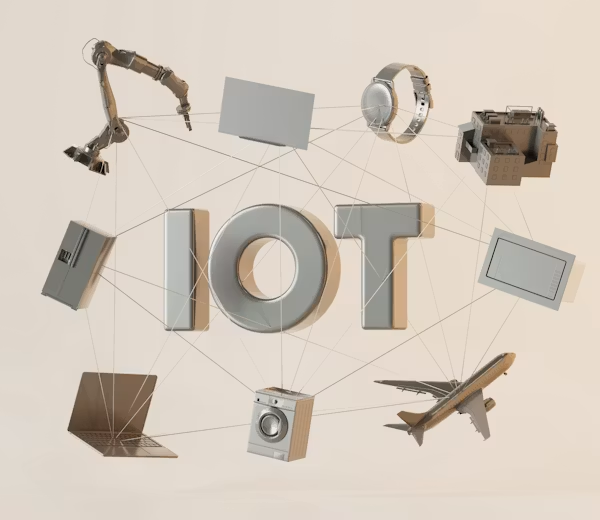
The Internet of Things (IoT) refers to the billions of internet-connected devices beyond traditional computers and smartphones — smart TVs, thermostats, security cameras, door locks, baby monitors, refrigerators, routers, and more. By 2026, the average home contains over 20 connected devices. Each one is a potential entry point into your network, and most were designed with convenience as the priority — not security.
Why IoT Devices Are Especially Vulnerable
- Weak default credentials — Thousands of devices share the same default username “admin” and password “admin” or “1234”
- Infrequent or no security updates — Many manufacturers abandon devices after 1–2 years; vulnerabilities go unpatched forever
- Limited processing power — Low-end hardware cannot support robust security software or encryption
- Always-on connectivity — Devices are online 24/7, giving attackers a persistent attack window
- Lack of user interface — No screen or easy way to configure security settings
- Insecure communication protocols — Many IoT devices use unencrypted protocols for device communication
Real-World IoT Attack Examples
| Attack |
Year |
Device Exploited |
Impact |
| Mirai Botnet |
2016 |
IP cameras, DVRs, routers |
600,000+ devices hijacked; major DDoS took down Twitter, Netflix, Reddit |
| Casino Fish Tank Hack |
2017 |
Smart aquarium thermometer |
Attackers pivoted from fish tank to casino’s high-roller database |
| Ring Camera Hacking |
2019 |
Home security cameras |
Attackers accessed cameras and harassed families through speakers |
| Verkada Camera Breach |
2021 |
Enterprise security cameras |
150,000 cameras inside hospitals, prisons, companies compromised |
Securing Your IoT Devices — Complete Guide
- Change all default credentials immediately — Every device should have a unique strong password from day one
- Create a dedicated IoT network — Isolate all smart devices on a separate guest/VLAN network away from your computers and phones
- Keep firmware updated — Enable automatic updates where possible; manually check monthly for devices without auto-update
- Disable features you do not use — Universal Plug and Play (UPnP), remote access, Telnet — disable anything unnecessary
- Research before buying — Choose manufacturers with strong security update track records
- Disable microphones and cameras when not in use — Physical covers or smart plugs that power off devices completely
- Replace abandoned devices — If a manufacturer no longer provides updates, the device is a liability
Setting Up an IoT VLAN — Why It Matters
Network segmentation is the single most effective IoT security measure. By placing all IoT devices on a separate VLAN (Virtual Local Area Network), you ensure that even if a smart TV or security camera is compromised, the attacker cannot reach your laptop, phone, or NAS drive on the main network.
Most modern routers support guest networks — use the guest network for all IoT devices and keep your main network exclusively for trusted devices like computers and phones.
Check Your Router Now
Log into your router’s admin panel and look at the list of connected devices. Many people are shocked to discover how many devices are on their network — and that several have never been updated or had their default passwords changed. This audit should be done at least once a year.
Smart Purchase Decision
Before buying any IoT device, search “[device name] security vulnerabilities” and “[manufacturer] security updates policy.” Choose manufacturers who have a dedicated security response team, a history of releasing patches promptly, and commit to supporting devices for at least 5 years after purchase.
Key Takeaway
Your smart home is only as secure as its least secure device. A compromised smart plug or IP camera can serve as a launchpad into the rest of your network. Change default passwords, segment your IoT devices onto a separate network, keep firmware updated, and be selective about which devices you invite into your home. Security should be a purchase criterion, not an afterthought.
#IoTSecurity#SmartHome#MiraiBotnet#NetworkSegmentation#VLAN#ConnectedDevices